When debugging to TRACE32, there are times when you need to check which start-up address the MCU is actually running from, especially when checking initialization codes, bootloads, and UCB settings together.
First in the TRACE32 top menu. CPU → In Target ResetThe target MCU is reset and then go to the Start-up address.
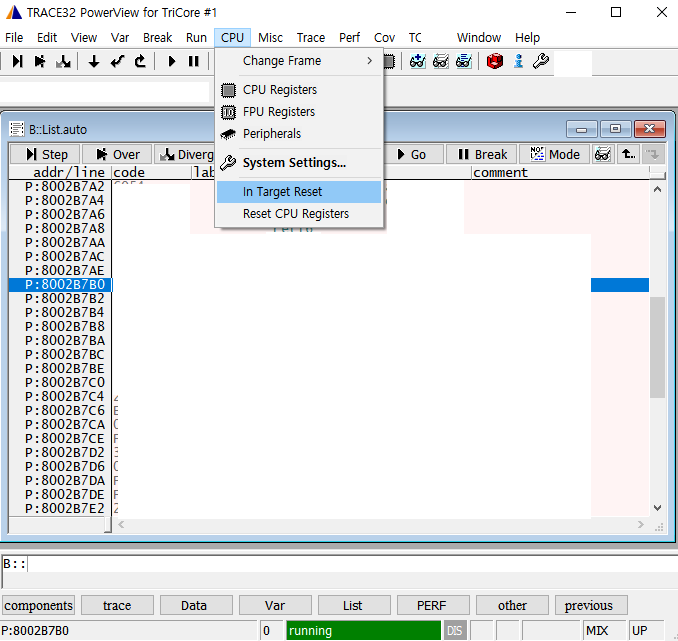
After the reconstruction. List.auto If the program stops in the Start-up address and the line is highlighted, you can immediately see where it starts.
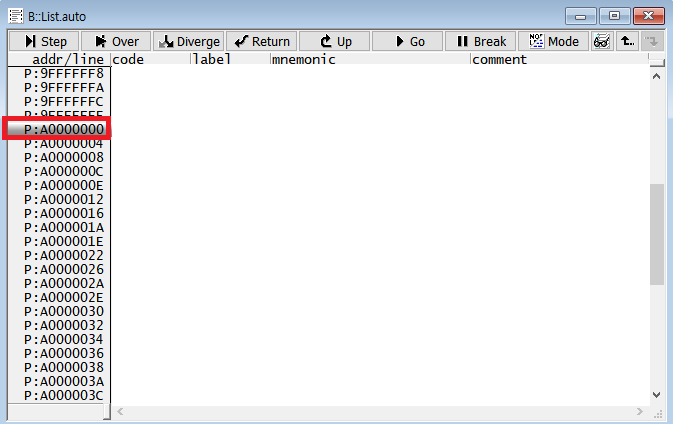
This is a start-up address. 0xA0000000The address varies depending on the MCU and boot configuration, so it should be checked with the project's link script.
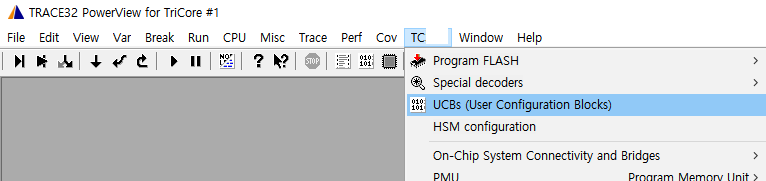
AURIX MCU can also look for Start-up-related values in the User Configuration Blocks (UCB) area. TCxx → UCBsto open it.
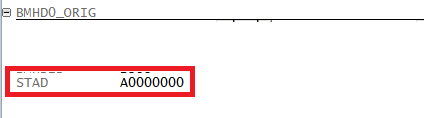
City of UCB A0000000After checking to see if it is displayed as, you can cross-verify the start address and the settings in the Debugger.
Loading comments.