Last time, I set up a virtual environment in TASKING.
The previous setup process is checked at the link below.
Change verified
This time we check the 'Expressions' that can see changes in the variables while debugging.
Like the screen, the behavior is fine, but due to encoding problems, the string is broken.
Check in English.
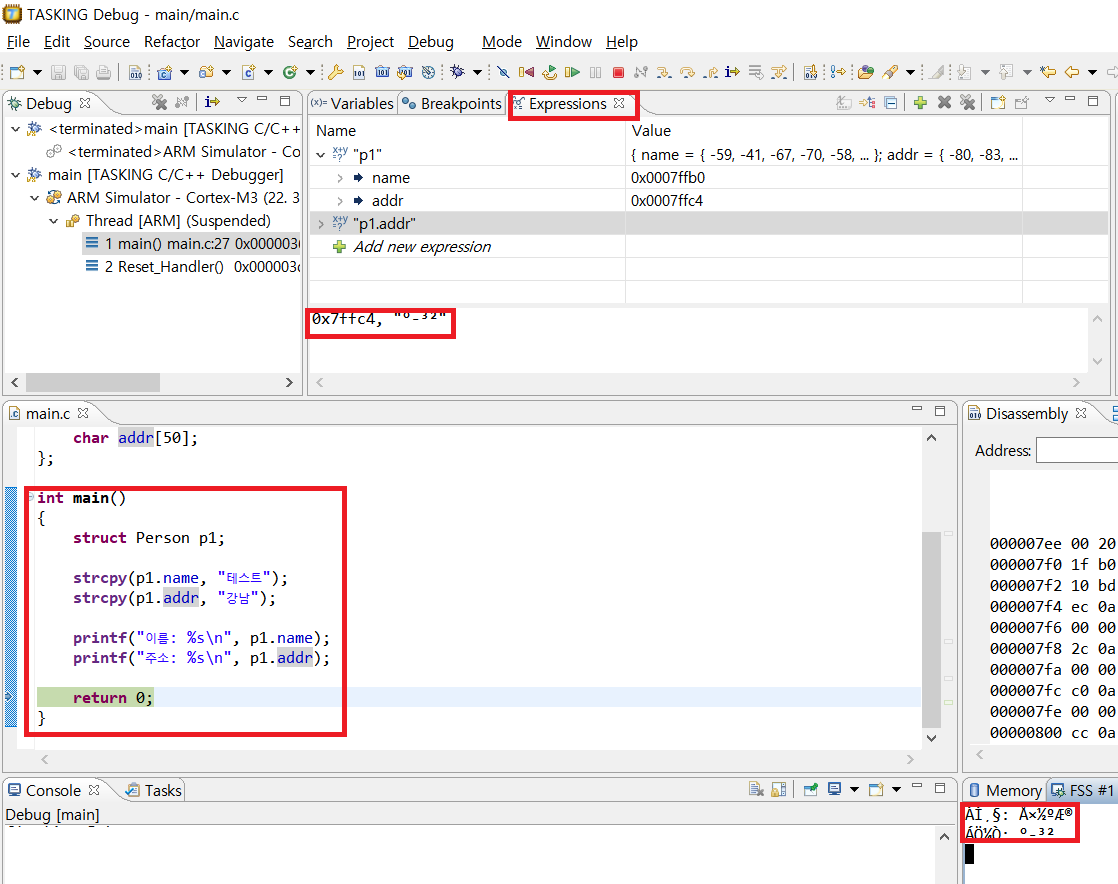
The written part is broken.
The English part can be verified to be well output.
The same goes for variable text.
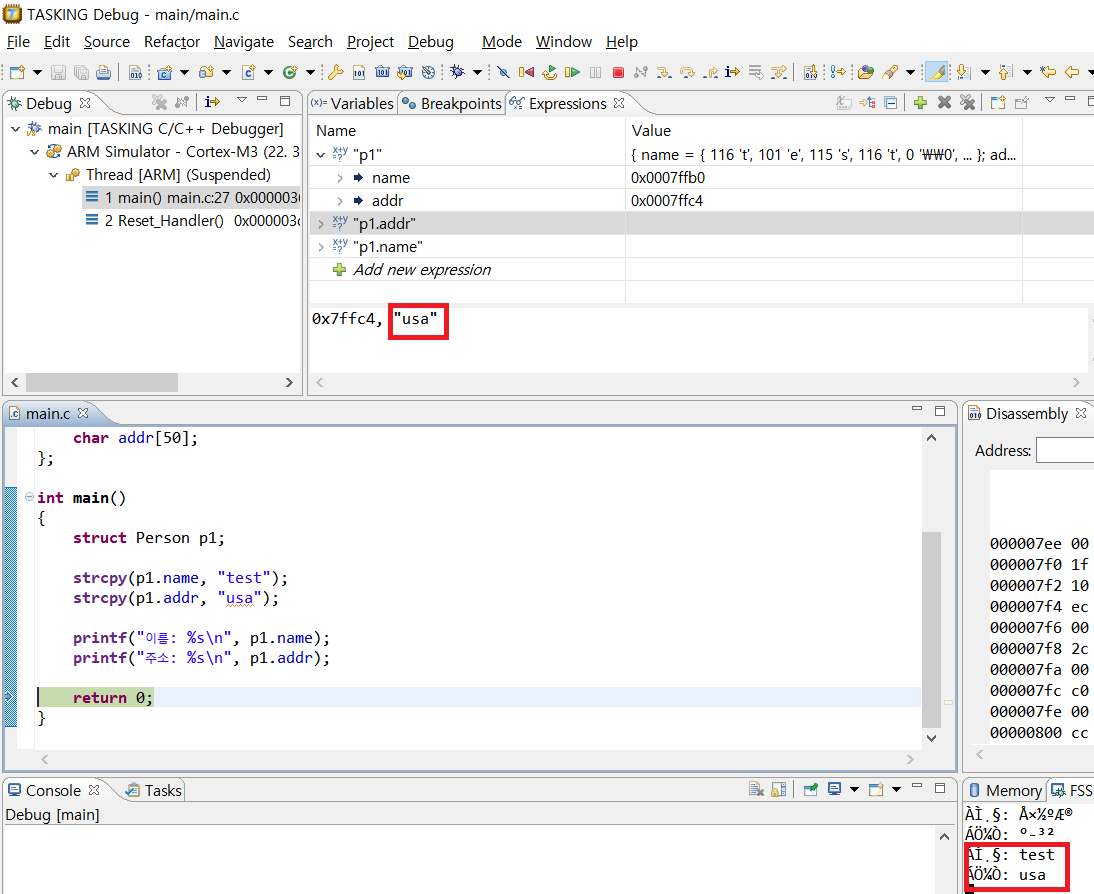
The state matter.
When operating a language in a TASKING environment as a virtual environment, there are a few things to bear in mind.
Experiences are as follows.
- Changes in Initial
- The content of a once saved variable does not change even if it is re-executed.
- Therefore, it is recommended to reduce confusion through variable initialization.
- broken word.
- It is recommended to use urgent English language because of the hacking.
- Program ended
- When the program is over, a trap occurs.
- It’s not a problem with the code, you should ignore adding while at the end point.
Loading comments.