When it comes to self-marketing, there is something to care about before strategy.
Immediate operation and verification.
Apart from earning, you need to know where the program is going, where it has stopped, and what the last state is.
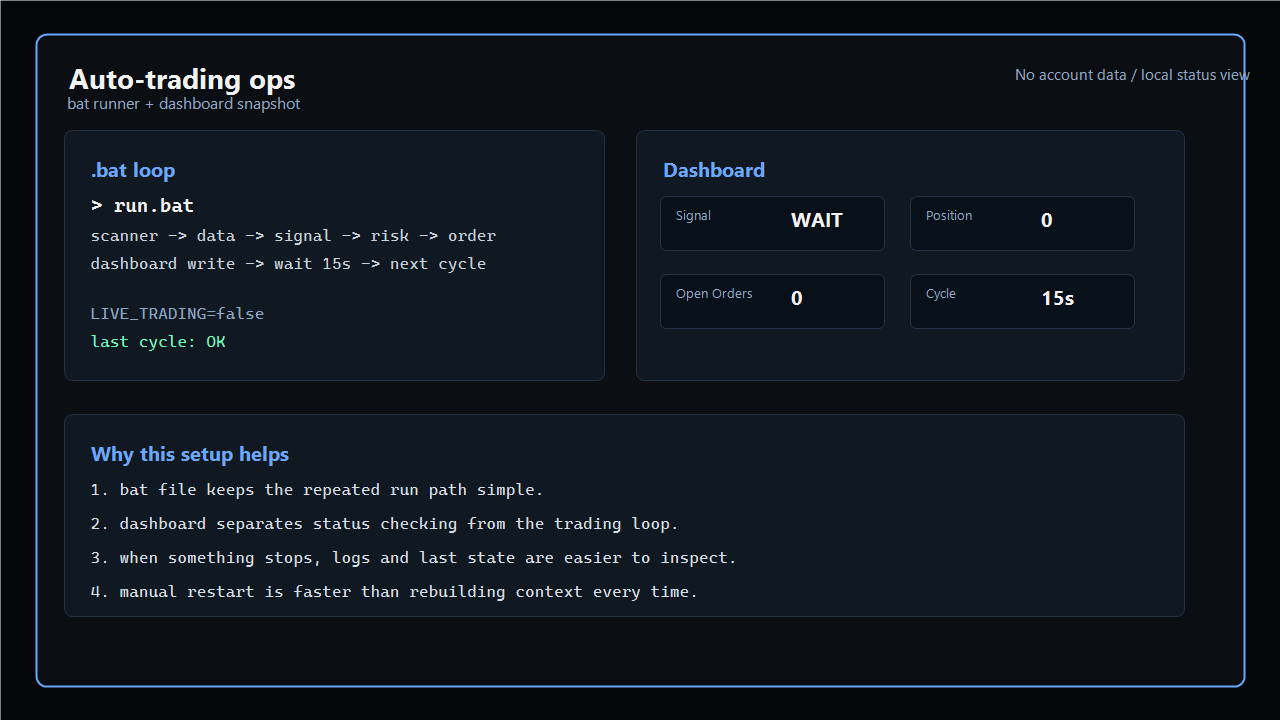
A clean bat runflow and dashboard status screen without sensitive account information.
It is convenient to use bat files together.
A bat file is a bat file that runs multiple commands in a sequence in Windows.
You don’t have to hit the commands yourself every time, and you can keep an eye on the order in which they are executed.
In the work of repeating the same flow like automatic sales, this simplicity is more important than thought.
Dashboard is better.
Dashboard is a management screen that sees the status on one screen.
Now you can check whether there are positions, if there are orders left, or whether the last execution was successful without opening the log file separately.
Especially because the automatic sale is on and there is a lot of waiting time, it is easy to get anxious without a status check screen.
Ultimately, the bat file makes running simpler, and the dashboard makes verification simpler.
If you’re both together, there’s a little less trouble.
If you stop, you will look at the bat file again, and strangely, you will see from the last state on the dashboard.
Not a great structure, but in fact, this basic device lasts the longest.
Automation feels like it’s close to a program that needs to continue to manage, before the technology to make money.
So I think it’s best to make running and status checking comfortable before making the strategy more complicated.
Loading comments.